


Two-Factor Authentication on PrestaShop: A Shield Against Cyberattacks
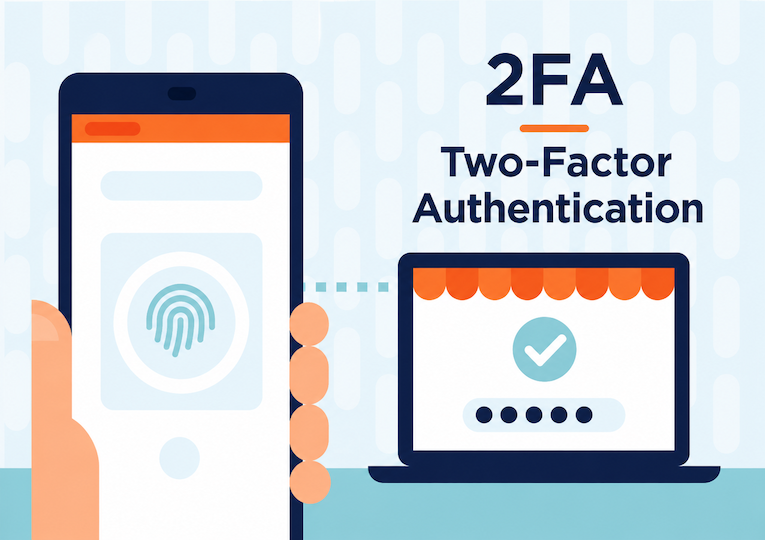
How about we talk security? Yes, again, but this topic is so crucial. Securing your online store’s data is essential to protect your business and your customers against cyberattacks.
As a site owner, one of the first essential steps to protect your data is the access mechanism to your PrestaShop back office.
Not only is choosing your password important, but you also need to make sure the identification step can’t be forced or hijacked by people with bad intentions.
Two-factor authentication, also known as 2FA, is an effective way to strengthen the security of your e-commerce site, especially if you use PrestaShop.
In short, 2FA authentication requires the user to provide an additional verification factor to log in to an account or a system, in order to:
- Verify the user’s real identity
- Reduce the risk of unauthorized access
- Prevent data breaches and cyberattacks
This article highlights the importance of two-factor authentication in e-commerce, the need to choose a “2FA” module to secure your PrestaShop back office, and how to implement it on your site to improve your business’s security.
In a previous post, Profileo support reported a rise in hacking attempts via back-office accounts. It has been observed that the adoption of two-factor authentication remains insufficient among PrestaShop users. We hope reading this article will give you convincing arguments to take appropriate action.
|
Summary: |
Focus on passwords:
Choosing the password to access your back office is critical — it’s your first line of defense. However, it should be noted that this defense is very often undermined:
👉 because hackers have tools that can crack passwords
👉 but also because users aren’t fully aware of the need to choose a strong, unique password.
For optimal password security, it’s recommended to use random combinations of at least 20 characters including uppercase and lowercase letters, numbers, and special characters.
It’s also important to stay rigorous about account access rights by carefully managing access, particularly by removing access for people who leave the company.
In addition, using a password manager can help companies store their passwords securely and better manage each user’s rights.
Finally, it’s recommended not to use the same password for different services.
Data breaches are common, and if your password is compromised on one service, there’s a strong chance it will be exploited on another.
|
Good to know: Have I Been Pwned This free tool lists all the sites that have been hacked and had their data leaked. Just enter your email address to check if it has been compromised in a known data breach. In addition, the Pwned Passwords service lets you check whether a specific password has already appeared in a data breach. |
2FA? Why? I already have a good password!
|
According to a survey conducted by Verizon in 2021, about 81% of data breach notifications worldwide were due to password-related issues. In France, the CNIL reportedly received nearly 60% of hacking-related notifications since the start of 2021, a large share of which could have been avoided had good password practices been followed. Source: CNIL – Passwords: a new recommendation for better security |
The site cybermalveillance.gouv.fr provides the 10 essential measures for ensuring your cybersecurity. In first place is choosing a strong password AND enabling two-factor authentication (also known as multi-factor authentication).
Two-factor authentication (2FA) is an essential security method for managing user identities and access. By requiring two forms of identification, it strengthens the protection of your most sensitive resources and data. For online store owners, 2FA is a way to protect their most vulnerable information against cyberattacks. In short, it offers extra peace of mind for your business.
In practice, two-factor authentication requires the user to provide a second piece of identification in addition to the username + password combination.
This second identifier usually takes the form of a numeric code that can be sent by SMS*, by email, or generated by a third-party app such as Google Authenticator, or even built into a physical key that must be connected to the computer.
*It has been shown repeatedly that SMS-based two-factor authentication is not foolproof protection. It is therefore strongly recommended to opt for a more secure method.
2FA thus gives you extra protection in the event of a successful phishing attempt or credential theft (following a hack or a virus infection, for example). Cybercriminals are constantly trying to get hold of your credentials, your banking details, or your information on e-commerce platforms. Despite your vigilance, you may still fall into the trap. In that case, two-factor authentication plays a crucial role as an additional line of defense.
How to choose a 2FA module for your PrestaShop back office?
As you can tell, we can only strongly recommend using two-factor authentication for access to your accounts, and especially to your back office.
There are quite a few 2FA modules available for PrestaShop.
We’ve put together a comparison list (though not exhaustive) to help you pick the one that suits you best.
This list is ordered by number of downloads on Addons (in descending order, so the most downloaded module comes first) based on a search for the keywords 2FA and two-factor authentication.
And further below, we share our advice on the choice that seems best suited to your situation.
|
Price: €69.99 excl. tax Compatibility: V1.6.0.4 – V8.0.4 Number of downloads: 4,678 Last updated: April 2023 |
A single QR code is generated for all employees (same code). The module includes several other features (firewall, blocking, etc.). ✅ We’ve already tested this module. It meets the need well and is relatively easy to configure. ➖ Unfortunately we ran into an error while activating 2FA, but we managed to tweak the module’s codes to make it work 👍 |
|
Price: €69.99 excl. tax Compatibility: V1.4.3.0 – V8.0.4 Number of downloads: 902 Last updated: April 2023 |
A unique QR code is generated per employee. Each employee can then generate their own 2FA (which isn’t the case for all modules). ✅ We’ve already deployed this module. Its advantage is that it focuses solely on the 2FA part. It’s functional. However, its configuration can be a bit confusing if you’re not familiar with how two-factor authentication works. |
|
Price: €83.99 excl. tax Compatibility: V1.6.0.5 – V8.0.4 Number of downloads: 42 Last updated: March 2023 |
A QR Code is generated individually for each employee. ✅ Setup seems simple. ➖ However, the demo and module description don’t make it clear whether it’s possible to check 2FA activation status for all employees. ❗ Note that we have never installed or tested this module. |
|
Price: €69.99 excl. tax Compatibility: V1.7.0.0 – V8.0.4 Number of downloads: 46 Last updated: January 2023 |
A single QR code is generated for all employees (same code). ✅ The module also seems to allow enabling two-factor authentication for front-office users. ❗ Note that we have never installed or tested this module. |
|
Price: €69.99 excl. tax Compatibility: V1.6.0.4 – V1.7.8.9 Number of downloads: 22 Last updated: January 2022 |
A QR Code is generated for all employees (same code). ✅ The module includes other features (firewall, attack protection, etc.). ❗ Note that we have never installed or tested this module. |
|
Price: €83.99 excl. tax Compatibility: V1.7.0.0 – V8.0.4 Number of downloads: 28 Last updated: February 2023 |
A QR Code is generated individually for each employee. The module includes other features (anti-brute-force blacklist, country blocking, logs, etc.). ✅ We were able to test this module. It works well and is easy to set up. |


All data on the listed modules is accurate as of this article’s publication date (May 2023)
Our tips for choosing your module:
- First of all, it’s important to check the module’s compatibility with your version of PrestaShop.
- Choosing a module that generates a unique code for each employee is a good option. This prevents the QR code from being shared and exchanged online between employees, which could compromise back-office security.
- That said, using a single QR code for all employees has the advantage of being able to be enforced immediately, without having to wait for each employee to activate two-factor authentication themselves.
- It’s also recommended to choose a module with a significant number of downloads to avoid potential technical issues — even though this doesn’t always guarantee the module’s reliability.
Based on these criteria, several of our clients have chosen this module: Module Google Authenticator Two-Factor Back Office Security (number 2 on our list).
The last module on our shortlist also looks promising.
In any case, your back office’s security is an integral part of your strategy against cyberattacks. It’s one of the key steps our experts detail among the actions to take in case of a confirmed attack or suspicion of one. We also recommend reading our dedicated article on this topic: My PrestaShop site got hacked! What should I do?
|
Need help choosing and setting up your two-factor authentication module? Contact us!
|